
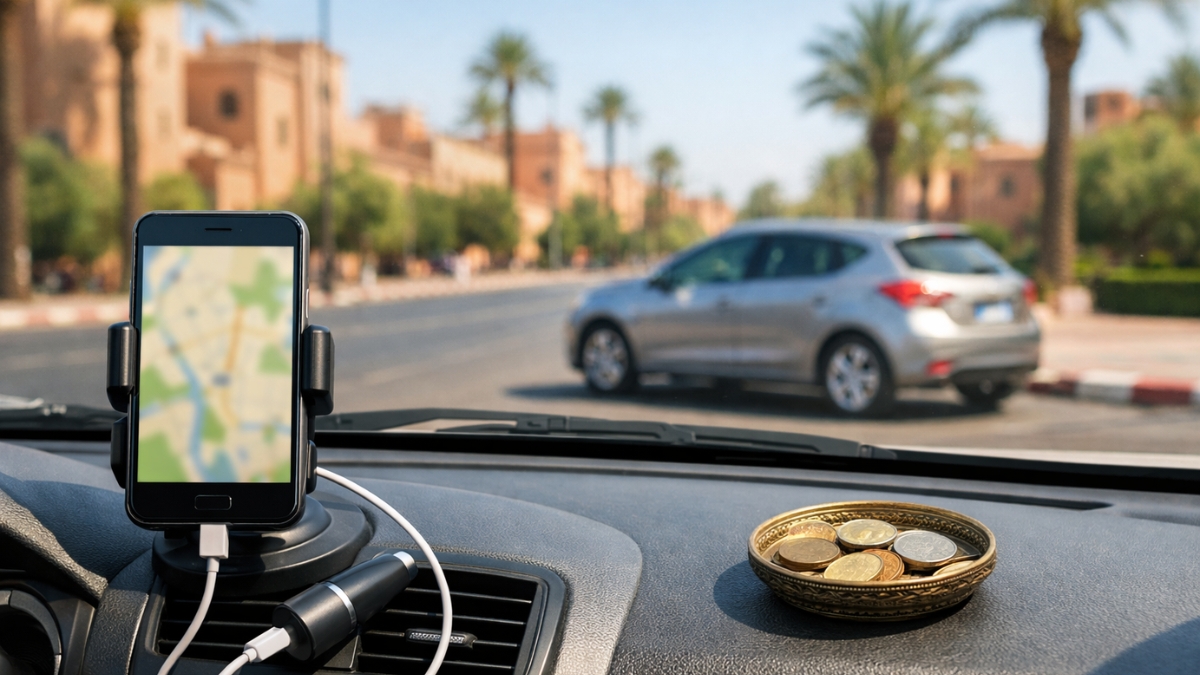
Getting around Marrakech by car is way easier when your phone is set up for the realities on the ground: patchy signal in some pockets, confusing medina edges, quick one-way changes, and speed-limit shifts that sneak up on you. The good news is you don’t need five apps, you need the right two or three, configured properly before you start the engine.
This guide covers the best app combo for Marrakech driving, how to build reliable offline maps, which speed-alert tools are actually useful, and the simplest SIM options for stable navigation.
Table of contents (text only)
- What to install before you arrive
- Offline maps that actually work in Marrakech
- Best “daily driver” navigation apps
- Speed alerts: what helps vs what distracts
- SIM options for navigation: physical SIM vs eSIM
- Quick setup checklist (10 minutes)
- FAQs
1) What to install before you arrive
If you do one thing, do this: download your maps while you’re on strong Wi-Fi (hotel, home, café) and test them in airplane mode.
A simple, reliable stack for Marrakech looks like:
- One main navigation app (for live traffic + easy routing)
- One offline map backup (for when signal drops or you’re conserving data)
- Optional: a speed-limit alert tool (only if it stays calm and doesn’t spam you)
You’ll also want:
- A car phone mount (even a basic one)
- A charging cable (navigation drains battery fast)
- Your phone set to dark mode at night to reduce glare
2) Offline maps that actually work in Marrakech
Offline maps are your “no stress” backup, especially helpful around the medina perimeter, parking zones, and when you’re leaving the city toward the Atlas or coastal routes.
Best offline approach: download a big rectangle, not tiny pieces
When downloading offline maps, don’t pick only “Marrakech city center.” Choose a larger area that includes:
- Menara / Gueliz / Hivernage
- The medina perimeter roads (where you’ll actually drive)
- The main exits toward Casablanca, Agadir, Ouarzazate, and Ourika
Pro tip: make your offline area bigger than you think you need. It’s cheaper than getting lost.
If you want the exact official steps for downloading offline areas, use this link:
Download areas & navigate offline in Google Maps: https://support.google.com/maps/answer/6291838
Offline backup apps (when you want more detail without data)
If you prefer a dedicated offline map app, choose one that:
- Works fully offline once the map is saved
- Lets you search places without needing data
- Shows small streets clearly
Common picks people use as backups:
- Organic Maps (offline-first feel)
- MAPS.ME (popular, but keep downloads updated)
- HERE WeGo (good offline navigation in many regions)
For Marrakech specifically, the most important thing is updating your offline data before you drive, roads change, and the “almost right” map is the one that wastes your time.
3) Best “daily driver” navigation apps
In Marrakech, the “best app” depends on what you value more: easiest routing, best traffic awareness, or the calmest interface.
If you care most about live traffic and reroutes
- Waze is popular for its traffic-driven rerouting and on-road awareness.
- It can be very helpful on busy boulevards and exits when traffic is unpredictable.
If you want simple, stable navigation
- Google Maps is the most straightforward for most drivers, especially when paired with downloaded offline areas.
If you’re on iPhone and want a clean offline option
Apple Maps supports offline maps on recent iOS versions. If you want the official steps, use this link:
How to download maps to use offline on iPhone: https://support.apple.com/en-mt/105084
Practical tip for Marrakech addresses:
Riad names and medina pins can be messy. When possible, navigate to a nearby landmark or a known parking area on the edge of the medina, then walk the last few minutes. Your trip becomes smoother instantly.
4) Speed alerts: what helps vs what distracts
Speed awareness matters because limits can change quickly from one stretch to the next, especially when transitioning between main roads and urban sections.
The best speed alert is the one that stays quiet
Look for speed features that:
- Show the current limit clearly
- Give a gentle warning when you creep over
- Don’t flood you with popups
Where drivers often go wrong:
- Using multiple alert apps at once (noise overload)
- Chasing alerts instead of watching the road
- Treating community reports as guaranteed
Keep it simple: one navigation app with speed display is usually enough. If you add a dedicated speed alert app, test it for 10 minutes and remove it if it’s distracting.
5) SIM options for navigation: physical SIM vs eSIM
If you’re driving around Marrakech (and doing day trips), having local data makes navigation smoother, live traffic, quick reroutes, and faster searching.
Option A: Physical prepaid SIM (simple, widely available)
Best if:
- Your phone is unlocked
- You’re okay swapping SIMs
- You want a straightforward setup
Tips:
- Bring your passport/ID (often requested for registration)
- Set it up in-store so you can test data before leaving
Option B: eSIM (fast setup if your phone supports it)
Best if:
- Your phone supports eSIM
- You want to keep your home SIM active (calls/WhatsApp) while adding local data
eSIM can be especially convenient for navigation because you’re online immediately without hunting for a shop at the wrong time.
Option C: Use your home SIM with roaming (usually the most expensive)
This can work for short stays, but costs can jump fast if you rely on navigation all day.
Data-saving trick:
Even with a local SIM, download offline maps. It keeps your data usage low and makes navigation more reliable.
6) Quick setup checklist (10 minutes)
Do this once, and your whole trip feels easier:
- Download a large offline map area covering Marrakech + main exits
- Save key places: hotel/riad, parking, fuel station, and your next destination
- Turn on “avoid tolls” only if you truly want slower local roads
- Set brightness and dark mode for night driving
- Add an emergency contact and keep your phone charged
- Test your navigation with airplane mode ON (offline test)
- Mount the phone at eye level (not in your lap)
FAQs
1) Should I rely on offline maps only in Marrakech?
Offline maps are great as a backup, but live data helps with traffic and reroutes. The best setup is live navigation + offline safety net.
2) What’s the most reliable app combination?
One main navigation app (for routing + traffic) plus one offline backup map app. Keep it minimal.
3) Do speed alert apps work everywhere?
They can help with awareness, but reports and alerts aren’t perfect. Use them as guidance, not as something to “drive by.”
4) Is an eSIM better than a physical SIM for driving?
If your phone supports eSIM, it’s often easier because you can keep your main number active and add local data.
5) Why does navigation struggle near the medina?
Some lanes are narrow, access changes, and pins can be inaccurate. It’s often smarter to navigate to a known perimeter parking point.
6) What if my app keeps sending me through tiny streets?
Zoom out and sanity-check the route before you commit. If it looks too tight, pick a nearby main road waypoint and reroute from there.